Pet the Cat Game: how to enjoy a quiet visit
Pet the Cat Online is a free interactive cat petting simulator where you can gently stroke realistic virtual cats, hear soothing petting sounds, and enjoy soft body movements from three different viewing angles. Play instantly in your browser without downloads or registration.
The experience centers on a simple interaction: your movement matters. A hand follows your mouse or finger, and the body responds near the place you touch. You can stay for a few strokes or settle into a longer break. Everything you need to begin is in the scene above.
What makes this cat game different
- Switch view angles between Side, Sprawl, and Belly to explore the same companion from three resting poses.
- Use the built-in sound toggle to mute the touch-responsive sound whenever you want a quiet scene.
- Switch between eight companions across different breeds and coat styles: orange tabby, British Shorthair, calico, Siamese, silver tabby, black cat, Maine Coon, and Ragdoll.
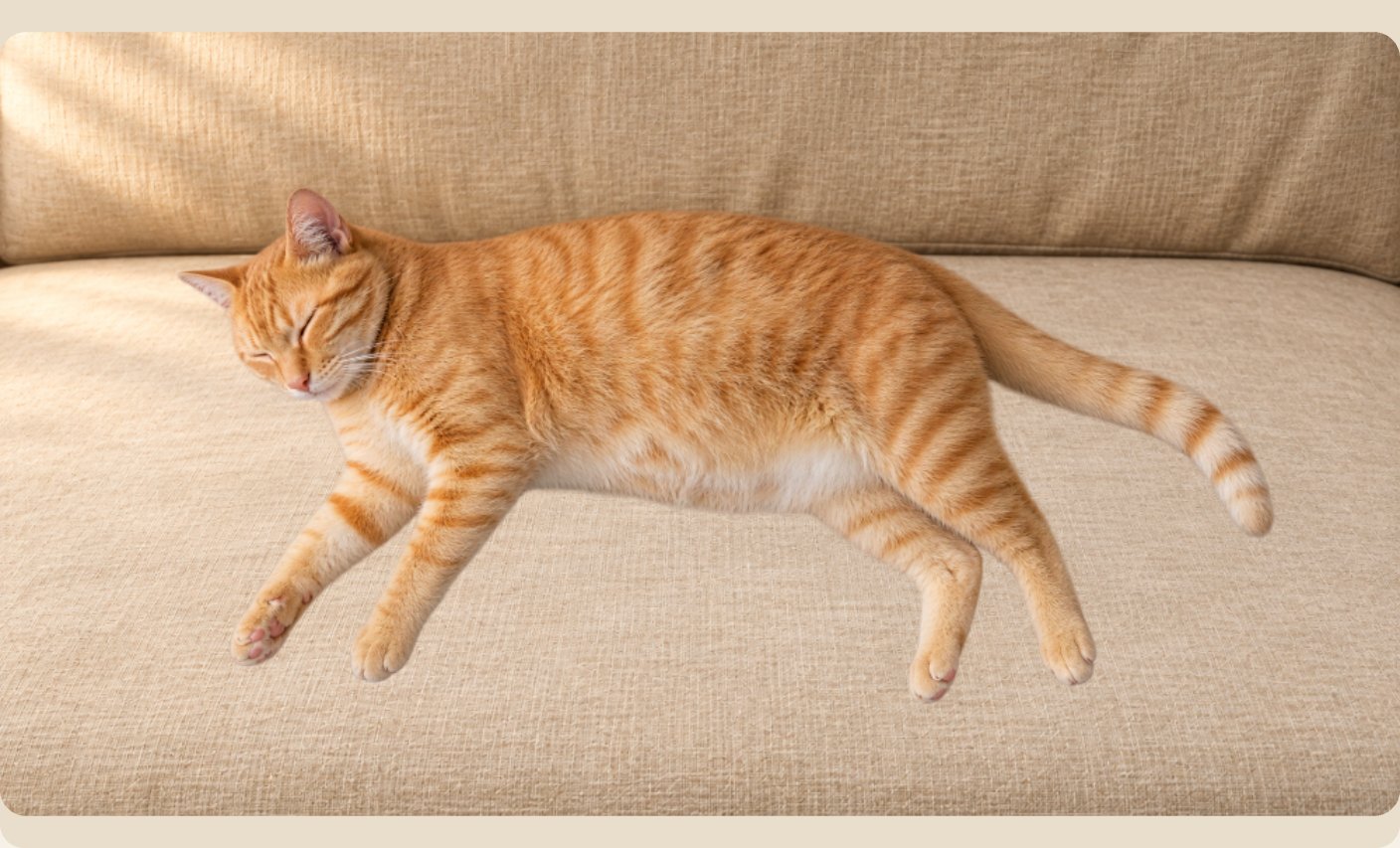
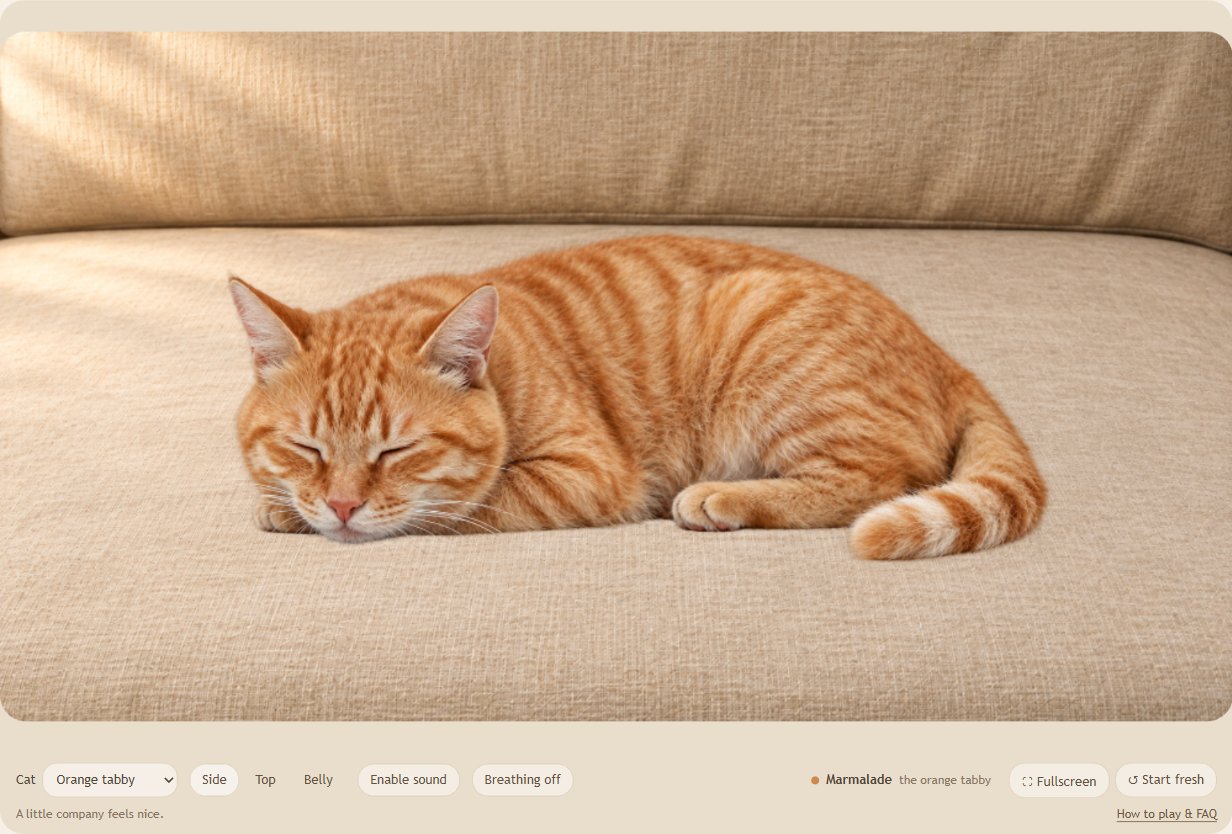
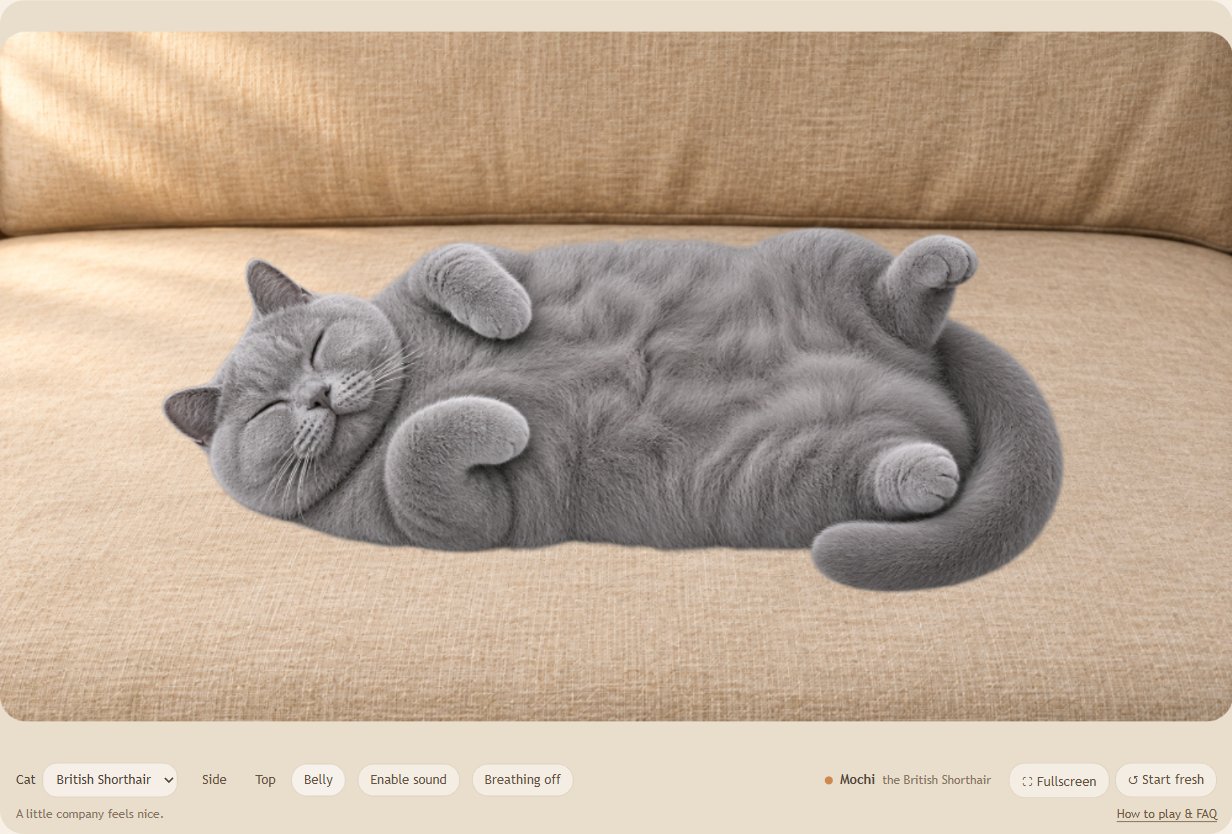
Try each pose in the scene above, or explore the cat simulator guide for more about touch, movement, and the available companions.
How to play
Your first visit can be as simple as moving the pointer over the cat. The controls sit above the scene, keeping the animal in the spotlight. Follow these steps if you would like to explore the whole experience.
- Choose a companion. The Cat menu switches between an orange tabby named Marmalade and a blue British Shorthair named Mochi. Pick whichever face you feel like spending time with.
- Choose a view. Side shows a curled resting cat, Sprawl shows a stretched-out cat viewed from above, and Belly shows a relaxed, belly-up pose. Each option uses its own picture rather than simply rotating the same image.
- Move gently. Glide over the head, back, or belly. On a touchscreen, touch the cat and slide your finger. Try a slow stroke followed by a quicker one to notice the difference.
- Explore the tail. Press or touch the tail, drag it gently, then release. Its movement has a limited stretch and a springy return. Use Start fresh whenever you want to restore the starting position.
- Make it comfortable. The game includes sound, breathing, and fullscreen controls. Adjust them to your preference, then leave the controls alone and enjoy the space.
Small movements, visible responses
The cat responds to a moving hand rather than asking you to click repeatedly for a reward. Contact location, direction, and speed shape the response. The nearby body surface shifts softly, while distant areas remain steadier. Move away and the local impression gradually recovers.
Different areas invite different gestures. Try short movements around the head or a longer pass over the back. The belly view gives you a broad central area to explore. Slow down between strokes so you can watch the body settle before starting again.
The on-screen hand is a visual guide to your touch. It follows movement smoothly and changes its pose during contact. You do not need to land on a tiny target or follow a prescribed route. Aim for deliberate motions rather than trying to discover a perfect sequence.
Meet your sleepy companions
Marmalade has warm orange stripes and a sleepy expression. The tabby is the starting companion, making it easy to begin without choosing any settings. The reclining pose keeps the back, face, tucked paws, and curled tail visible together.
Mochi offers a different look: rounded cheeks, a blue-gray coat, and the plush appearance associated with a British Shorthair. Switching companions keeps the same familiar controls. You can compare how the eight cats look without learning a separate game for each breed. You can also meet Patches the calico, Coco the Siamese, Luna the silver tabby, Onyx the black cat, Maple the Maine Coon, and Cloud the Ragdoll.
All three views are available for all eight companions. These are separate, generated photographic-style images with interactive movement layered onto them. They are not a live camera feed or a freely rotating three-dimensional model. Choose a pose for the part you want to pet.
Set the sound and breathing to suit you
Sound follows your strokes. Click Enable sound, or click or touch the cat once, to allow browser audio. Then keep moving over the cat to hear the short sound clip. Pausing your hand or leaving the animal stops playback instead of leaving a soundtrack running.
There is also a mute control. Sound on means petting audio is allowed; it does not mean audio should play while you are idle. If you hear nothing, check that sound is enabled, make a fresh stroke, and confirm your device or browser tab is not muted.
The breathing effect adds a slow rise and fall around the torso. Its motion is separate from the local response to your hand. The orange side view has its own tuned chest and belly movement, with the head and resting extremities kept steadier.
Use Breathing on or Breathing off to choose between movement and stillness. A browser requesting reduced motion starts with automatic breathing disabled unless you explicitly enable it. Your breathing choice is remembered in this browser when local storage is available.
Play comfortably on a phone, tablet, or desktop
A wide scene gives your gestures more room on a phone. Turn your device sideways for a landscape layout with the controls along the left. On a supported touch device held upright, the game can display a rotated landscape layout while keeping touch positions aligned with the scene.
The game keeps the playing surface separate from this reading guide. Sliding inside the scene pets the cat instead of scrolling the page. To read more, use the guide link or scroll outside the interaction area. The article remains upright and readable on a phone.
The Fullscreen button uses more of the available display. Supported browsers open native fullscreen; others use a page-filling alternative. Use the exit control or Escape to return. Rotating a phone or changing window size also resets an interrupted gesture so the tail does not stay attached.
Make a little space for an unhurried break
You can approach the game without a goal beyond enjoying a few gentle movements. Try one slow pass from shoulder to back, lift away, and watch the cat settle. Switch views only when you feel curious. There are no points for being faster or staying longer.
The scene works equally well as a quiet visual companion with sound disabled. Keep your preferred cat and pose, turn breathing on if you enjoy the motion, or choose a stiller scene. A short visit is complete whenever you decide to leave.
Frequently asked questions
Is this game free to play?
Yes. It is free to play in your browser. There is no account, subscription, or purchase step in the game.
Do I need to download an app?
No. It runs as a webpage. Keep an internet connection available while the pictures and sound first load.
Can I play with a touchscreen?
Yes. It supports touching and sliding over the animal. A landscape screen provides more space for the scene and controls.
Can I turn off the music?
Yes. Use the sound button above the scene to switch sound off; you can enable it again whenever you want. The current audio is a short petting clip that plays while your hand moves over the cat, rather than continuous background music. It stops when you pause or move away. Your browser may require a click or touch before any sound can start.
Why is the sound silent when I stop moving?
That is intentional. The game plays its petting clip only during moving contact. Stopping your stroke, leaving the cat, or switching away silences it.
How do I change the cat or pose?
Use the Cat menu and the Side, Sprawl, and Belly buttons in the scene. Wait for a new picture to finish loading before making another selection.
Can I turn off the breathing animation?
Yes. There is a breathing toggle. Switching it off stops the automatic torso motion while keeping your direct petting interaction available.
What does Start fresh reset?
Start fresh clears the current touch and restores the body's petting deformation and tail position. It keeps your selected companion and view.
What if a cat picture does not load?
The game keeps the previous companion visible when a new view fails. Try the selection again, or refresh the page after checking your connection.
Can I save a score or finish a level?
There are no levels, score, or competitive target. The experience is open-ended, so you can return for another quiet visit whenever you like.